If you’ve spent any time researching Nintendo Switch games, modding communities, or game backups, you’ve probably come across the term XCI file. For beginners, it can be confusing. Is it a game file? A ROM? Something you can open on a computer?
In simple terms, an XCI file is a digital copy of a Nintendo Switch Game Compatibility Guide. It contains all the data stored on a physical game card and is often used for backup, preservation, or emulation purposes.
This guide explains exactly what XCI files are, how they work, how they differ from other Nintendo Switch file formats, and what you should know before using them.
What Does XCI Mean?
XCI stands for NX Card Image.
Think of an XCI file as an exact image of a Nintendo Switch game cartridge. Just as an ISO file is a copy of a DVD or Blu-ray disc, an XCI file is a copy of a physical Switch game card.
When someone creates an XCI file, they are essentially taking all the data from a game cartridge and packaging it into a single file.
For example:
- A physical copy of The Legend of Zelda: Breath of the Wild can be dumped into an XCI file.
- That XCI file contains the game’s data, updates, certificates, and other information stored on the original cartridge.
The result is a file that mirrors the contents of the physical game.
What Is an XCI File Used For?
XCI files are primarily used for three purposes:
1. Game Backups
Some users create backups of games they legally own.
Just as people back up photos or documents, game collectors sometimes back up physical cartridges to protect against loss or damage.
For example, if someone owns dozens of Switch cartridges, creating backups can help preserve those games long-term.
2. Game Preservation
Physical media doesn’t last forever.
Collectors and preservation communities often archive game data so that games remain accessible in the future, even if cartridges become damaged or unavailable.
3. Emulation
XCI files can be used with Nintendo Switch emulators that run on PCs and other devices.
Instead of inserting a physical cartridge, the emulator reads the XCI file and loads the game data digitally.
This allows users to play compatible games on supported hardware without using the original game card.
Also see: Ryujinx Nintendo Firmware Download (Latest Version)
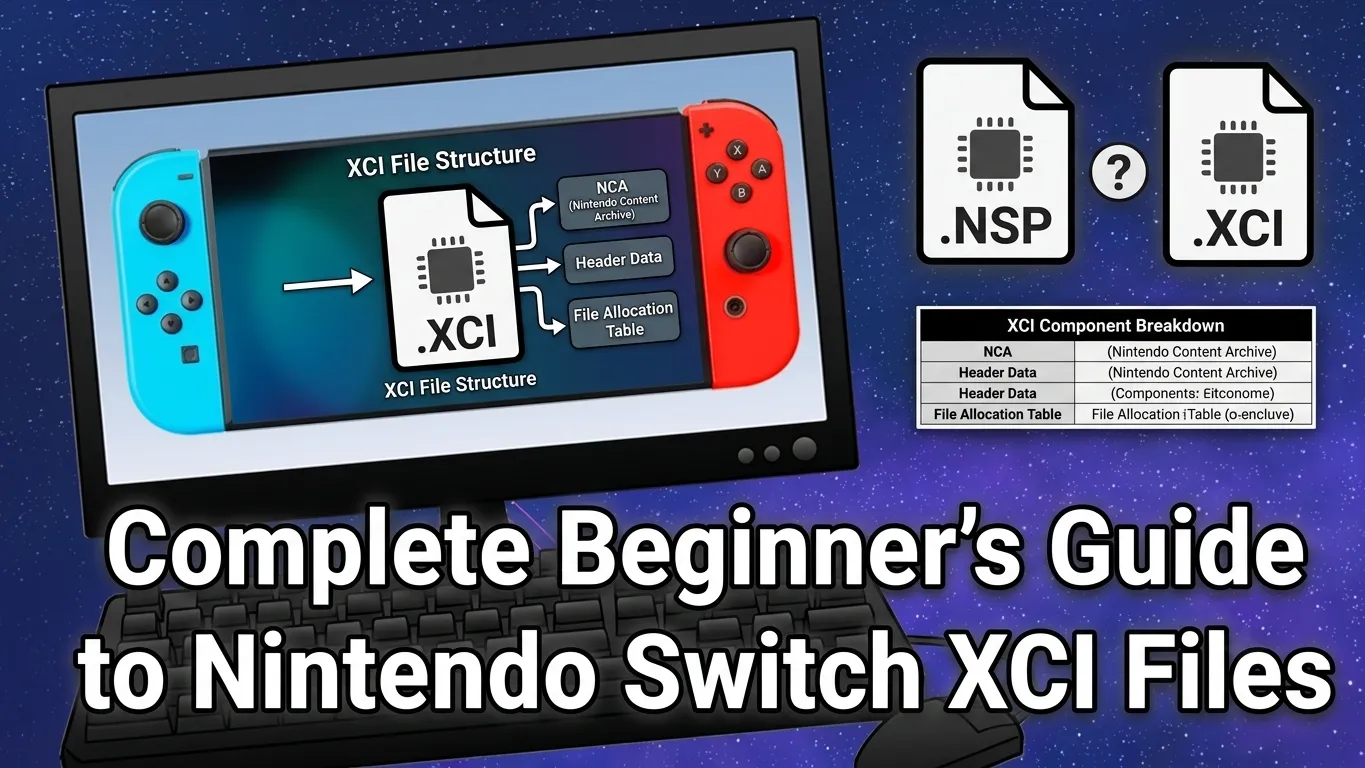
What’s Inside an XCI File?
An XCI file contains much more than just the game itself.
Typical contents include:
- Game program data
- Metadata
- Cartridge information
- Game certificates
- Icons and assets
- Security-related information
- Partition data
You can think of it as a complete package representing everything stored on the original game cartridge.
That’s why XCI files are often larger than many standard game files.
XCI vs NSP: What’s the Difference?
One of the most common questions beginners ask is how XCI files differ from NSP files.
Both formats are associated with Nintendo Switch games, but they serve different purposes.
| Feature | XCI | NSP |
|---|---|---|
| Based on | Physical game cartridge | Digital eShop package |
| Represents | Full cartridge image | Installable game package |
| Similar to | ISO file | Installer package |
| Contains cartridge data | Yes | No |
| Used for backups | Commonly | Sometimes |
A simple analogy helps:
- XCI = A complete copy of a physical game cartridge
- NSP = A digital installation package
If a game is purchased from the Nintendo eShop, it is generally associated with NSP-style packaging. If it originates from a physical cartridge, it is often represented as an XCI file.
Can You Open an XCI File on a PC?
Not like a regular document.
If you double-click an XCI file in Windows or macOS, it won’t open the way a PDF, image, or video file would.
Specialized software is required to analyze or work with XCI files.
Depending on the software, users may be able to:
- View file contents
- Extract information
- Verify game data
- Manage backups
- Use the file with compatible Nintendo Switch emulation software
Without appropriate software, your operating system likely won’t recognize the file format.
Why Are XCI Files So Large?
Nintendo Switch games can contain a significant amount of data.
Modern games often include:
- High-resolution textures
- Audio files
- Cutscenes
- DLC content
- Multiple language packs
As a result, XCI file sizes can vary dramatically.
For example:
- Smaller indie games may only occupy a few hundred megabytes.
- Larger AAA titles can exceed 10 GB, 20 GB, or even more.
Since XCI files replicate entire cartridges, they are often quite large compared to ordinary files.
Are XCI Files the Same as ROMs?
Many people casually refer to XCI files as ROMs, but the terms aren’t identical.
A ROM generally refers to a copy of game data from a cartridge or console.
An XCI file is a specific Nintendo Switch cartridge image format.
In practice, you’ll often see people use the term “Switch ROM” to refer to an XCI file, but technically, XCI is a specific file format rather than a generic ROM category.
Are XCI Files Legal?
The legality depends on how the file was obtained and how it is used.
In many regions:
- Backing up software you legally own may be permitted under certain circumstances.
- Downloading copyrighted games without authorization may violate copyright laws.
- Distributing copyrighted game files without permission is generally illegal.
Laws vary by country, so it’s important to understand the regulations that apply where you live.
If you’re interested in game preservation or backups, always make sure you follow local laws and respect copyright requirements.
Can Nintendo Switch Emulators Use XCI Files?
Many Nintendo Switch emulators can work with XCI files, depending on the emulator’s capabilities and configuration.
The emulator reads the cartridge image and interprets the game data similarly to how a real Nintendo Switch would access information from a game card.
However, compatibility varies from game to game. Some titles run smoothly, while others may experience graphical issues, performance problems, or fail to launch altogether.
Users should always consult the documentation for their chosen emulator to understand supported file formats and requirements.
Common Problems with XCI Files
Beginners often encounter a few common issues.
File Won’t Open
This usually happens because no compatible software is installed.
Corrupted Download
If the file was interrupted during transfer, it may become unreadable.
Compatibility Errors
Not all tools support every XCI variation.
Storage Issues
Because XCI files can be very large, insufficient storage space is a frequent problem.
Checking file integrity and ensuring adequate disk space often resolves many issues.
Also see: How To Convert XCI To NSP: Switch Games (Complete Guide)
What is an XCI file?
An XCI file is a digital copy of a Nintendo Switch game cartridge. It contains the same game data, metadata, and cartridge information found on the original physical game card.
What does XCI stand for?
XCI stands for NX Card Image. It is the file format used to represent a complete Nintendo Switch game cartridge image.
How is an XCI file different from an NSP file?
An XCI file is a copy of a physical game cartridge, while an NSP file is a digital installation package typically associated with Nintendo eShop downloads.
Can I open an XCI file on my computer?
Yes, but you need compatible software. Standard programs like Windows Media Player or Microsoft Word cannot open XCI files.
Can Nintendo Switch emulators use XCI files?
Many Nintendo Switch emulators support XCI files, allowing them to load game data from a cartridge image instead of a physical game card.
Conclusion
Understanding XCI files doesn’t have to be complicated. Simply put, an XCI file is a digital copy of a Nintendo Switch game cartridge, containing the same data found on the physical game card. Whether you’re exploring game preservation, learning about Nintendo Switch file formats, or researching how emulators work, knowing what an XCI file is can help you make sense of the gaming world behind the scenes.
For most beginners, the key takeaway is that XCI files represent physical game cartridges, while other formats like NSP files are tied to digital downloads. As technology continues to evolve, these file formats play an important role in storing and preserving games. Just remember to use game files responsibly and always respect copyright laws when handling or sharing them.